
The HP ProBook 440 G6 is a robust business machine, but its security features can become a hurdle if you’re locked out of the BIOS. Standard methods like pulling the CMOS battery—often effective on older models—frequently fail on this specific generation.
Here is a look at the "exclusive" and standard methods for resetting the BIOS password on an HP ProBook 440 G6. 1. The "System Disabled" Code Method
This is the most common "soft" fix. By intentionally triggering a system lock, you can sometimes generate a backdoor recovery code.
The Process: Power on and press F10 repeatedly. Enter any incorrect password three times.
The Result: The system will display a "System Disabled" message with a specific code (often starting with 'A' followed by 8 digits).
The Unlock: You can use external tools to generate an unlock key from this code. Reviewers and users often point toward resources like BIOSBug or BIOS-PW to find these generated keys. 2. Physical BIOS Reprogramming (Hardware Level)
For the 440 G6, traditional CMOS battery pulls often don't work because the password is stored in non-volatile memory. True "exclusive" resets often require hardware intervention.
CH341A Programmer: Users have successfully removed passwords using a CH341A IC programmer and a clip. This allows you to read and overwrite the BIOS chip data without desoldering it from the motherboard.
RC Unlocker: A popular community tool used in conjunction with a programmer is RC Unlocker (often found on Badcaps), which can "clean" the password from a backup BIOS file before you flash it back to the chip. 3. HP Official Support & Security Policies
While the internet is full of DIY fixes, HP Support officially recommends contacting them directly for password issues.
Policy Changes: Note that HP has tightened security policies; they may no longer provide "SMC.bin" files for newer models like the 440 G6, even if your warranty has expired.
HP SpareKey: If you previously set up HP SpareKey, you can press F7 after three failed password attempts to answer security questions and regain access. Reset forgotten HP laptop bios password A [12345678]
If you are locked out of your HP ProBook 440 G6 , you've likely realized that standard tricks like pulling the CMOS battery
or using generic master passwords no longer work on modern HP business laptops. Because the BIOS password is encrypted on a dedicated chip, a simple power reset won't clear it.
Here are the primary ways to handle a lost BIOS password for this specific model. 1. The Official Route (HP Support) The most reliable method is to Contact HP Support . In the past, HP would provide a customized
file that you could boot from a USB drive to reset the password.
HP's policies have recently become stricter. If your laptop is out of warranty, they may refuse this service or require a motherboard replacement. 2. HP SpareKey Recovery If you or your IT department previously configured HP SpareKey
, you can recover the password by answering three personal identification questions. Power on and press for the Startup Menu, then for BIOS Setup. Enter any password incorrectly three times. If prompted, press
for HP SpareKey Recovery and answer your security questions. 3. Master Password Generators (The "System Disabled" Code)
When you fail the password entry three times, the laptop may display a "System Disabled" code (sometimes starting with a letter like 'A' or 'i'). Take this code to sites like BIOS-PW.org Enter the 8-digit code to generate a unique unlock key.
This method works less frequently on newer G6/G7 models than on older hardware. HP Business PCs - Forgotten or lost BIOS password
HP ProBook 440 G6 BIOS Password Reset Exclusive: A Comprehensive Guide
Are you struggling with a forgotten BIOS password on your HP ProBook 440 G6? Don't worry, you're not alone. Forgetting a BIOS password can be frustrating, especially if you need to access your computer urgently. In this article, we will provide an exclusive guide on how to reset the BIOS password on your HP ProBook 440 G6.
What is a BIOS Password?
A BIOS password, also known as a UEFI firmware password, is a security feature that prevents unauthorized access to your computer's BIOS settings. It is a password that is stored in the computer's motherboard and is required to be entered before the computer can boot up or access the BIOS settings.
Why is BIOS Password Reset Needed?
There are several reasons why you may need to reset the BIOS password on your HP ProBook 440 G6:
Methods to Reset HP ProBook 440 G6 BIOS Password
There are a few methods to reset the BIOS password on your HP ProBook 440 G6. We will discuss each method in detail: hp probook 440 g6 bios password reset exclusive
The HP ProBook 440 G6 is engineered to protect data integrity. While older "hacks" like removing the battery are largely obsolete on this platform, the SpareKey system remains the legitimate path for owners. For technicians, the SPI Programmer method is the definitive way to reset the BIOS password, bypassing the hardware security that standard CMOS resets cannot touch.
To reset the BIOS password on an HP ProBook 440 G6, you generally cannot use traditional methods like removing the CMOS battery, as the password is stored on a non-volatile security chip. The official and most secure way to resolve this is to contact HP Support, though they typically require a system board replacement for forgotten passwords on business models. Exclusive Reset Methods
If you are looking for alternatives to motherboard replacement, several technical workarounds exist:
HP SpareKey (Built-in Recovery): If previously configured, enter a wrong password three times to trigger the SpareKey prompt. Press F7 to answer your three security questions and regain access. Master Password Generators:
Enter an incorrect password three times to generate a "System Disabled" code.
Input this code into a third-party unlocker tool like bios-pw.org or biospark.com to generate a bypass key.
Hardware Reprogramming (Advanced): For G6 models, technicians often use an IC programmer (like the TL866II Plus) to read the BIOS chip, use a utility like RC Unlocker to strip the password from the file, and then write the unlocked data back to the chip. Standard BIOS Reset (Settings Only)
If you already have access to the BIOS but want to reset the settings to factory defaults: Restart and repeatedly press F10 to enter the BIOS Setup. Navigate to the Exit or Main menu. Select Restore Defaults or Load Setup Defaults. Save and exit.
For a technical demonstration on how to use a BIOS programmer and unlocker utility:
Resetting the BIOS password on an HP ProBook 440 G6
is significantly harder than on older laptops. HP increased security for G6 models and later, meaning traditional "hacks" like removing the CMOS battery no longer work. ⚠️ Critical Warning
CMOS Battery: Removing it will not reset the password. It only resets the clock.
Official Stance: HP officially states they cannot reset lost BIOS passwords. Their solution is a motherboard replacement.
Master Passwords: Website generators like bios-pw.org often fail for G6 models because the encryption is more advanced. 🛠️ Known Reset Methods
If you are locked out, you generally have three "exclusive" paths, ranging from simple software tricks to advanced hardware modification: 1. The SMC Bin File (Official-ish)
Previously, HP support could provide a special file named SMC.bin to unlock the BIOS via a USB drive.
Current Status: HP has largely stopped providing these files for newer models due to policy changes.
How it worked: You provided your serial number and UUID to a technician, who sent a file that cleared the security settings upon boot. 2. Software Utilities (HPBR / RCUnlocker)
Third-party tools created by the enthusiast community (like the HPBR utility or RCUnlocker) are often cited in "exclusive" tutorials.
HPBR: A specialized tool that runs from a bootable USB. It supports many ProBook models, though compatibility with G6 is hit-or-miss.
RCUnlocker: Specifically designed to "clean" a BIOS file of its password. This requires you to first read the chip's data using hardware.
3. Hardware Reprogramming (The "Exclusive" Professional Method)
This is the only guaranteed way to reset a G6 BIOS. It involves disassembling the laptop and using a CH341A Programmer. The Process:
Locate the BIOS SPI chip on the motherboard (usually an 8-pin chip).
Use a SOIC8 clip or desolder the chip to connect it to a USB programmer.
Read the chip's "dump" (binary file) using a second computer.
Run the file through a tool like RCUnlocker to remove the password block. Write the "cleaned" file back to the chip and reassemble. 📺 Helpful Video Guides
This tutorial demonstrates the hardware reprogramming process specifically for the ProBook 440 G6: 06:40 Removing the BIOS password from an HP Probook 440 G6. Repair Channel YouTube• Nov 8, 2024 The HP ProBook 440 G6 is a robust
If you prefer to see how the RC Unlocker utility is used with a programmer chip: 20:39
To reset the BIOS password on an HP ProBook 440 G6, you can use the system-generated unlock code or a specialized hardware-level reprogrammer. Standard CMOS battery removals are often ineffective for this model as the security is stored in non-volatile memory. Option 1: System-Generated Unlock Code This is the most common method for modern HP laptops.
Generate the Code: Power on the laptop and enter a wrong BIOS password three times until a "System Disabled" message appears with an 8-digit code.
Get the Key: Visit a site like bios-pw.org or biospark.com on another device. Enter the 8-digit code to generate an unlock master password.
Unlock: Restart your ProBook, enter the generated master password exactly as shown (case-sensitive), and press Enter. Option 2: Hardware-Level Reset (Advanced)
If the system code method fails, you must physically access the BIOS chip.
Reprogramming the IC: This requires disassembling the laptop, desoldering the BIOS chip (often an SOP8 IC like the GD25B127D), and using a programmer like the TL866II Plus to flash an unlocked BIOS file.
RC Unlocker: Technicians often use the RC Unlocker utility from BadCaps.net to strip the password from a backup of the original BIOS data before flashing it back to the chip. Important Considerations
Official Support: HP's official policy is that forgotten BIOS passwords require a motherboard replacement at the owner's expense.
CMOS Reset: While you can perform a CMOS reset by holding the power button for 25 seconds (for certain G7-G10 models), this generally only resets settings, not the administrative password.
For the HP ProBook 440 G6 Go to product viewer dialog for this item.
, resetting a BIOS administrator password is significantly more difficult than on older consumer laptops because security information is stored in non-volatile memory that does not clear even if the CMOS battery is removed. Official HP Support Path
According to official HP Business PC documentation , HP cannot remotely reset a lost BIOS password for these models. Their standard protocol for a forgotten BIOS password is:
System Board Replacement: The only official fix is to replace the motherboard.
Warranty: This is generally not covered under standard warranty if the password was forgotten, and additional customer costs will apply. Alternative Reset Methods
If you are comfortable with technical work, there are "exclusive" methods that users in the community often use, though they may void your warranty.
SMC.bin File (Legacy Method): In the past, HP support provided a unique SMC.bin file based on your serial number to unlock the BIOS at boot. However, recent reports from the HP Support Community indicate that HP no longer provides these files as of March 2019.
Third-Party Unlock Codes: If you enter the wrong password three times and receive a "System Disabled" code (especially one starting with "A"), you may be able to generate a master password using sites like bios-pw.org or biospark.com.
EEPROM Reprogramming (Hardware Level): This is the most complex method and involves: Physically removing the BIOS chip from the motherboard.
Using a hardware programmer (like the TL866II Plus) and an SOP8 adapter.
Reading the current BIOS data and using a utility like RC Unlocker (from badcaps.net) to clear the password segment. Flashing the modified "clean" file back to the chip. Steps for a Successful Boot if Locked Out
If you are trying to bypass the password just to change the boot order: Restart the laptop and press Esc repeatedly. Press F9 to enter the "Boot Device Options" menu.
If this is also locked, you must use one of the reset methods above or replace the system board. Reset forgotten HP laptop bios password A [12345678]
Complete Guide to HP ProBook 440 G6 BIOS Password Reset Locking yourself out of the BIOS on your HP ProBook 440 G6 is a frustrating experience. A BIOS password prevents unauthorized users from changing hardware settings or booting from external devices.
If you have forgotten your password, standard tricks like removing the CMOS battery will not work on this modern business laptop. HP stores security certificates in non-volatile memory that does not require battery power to retain data.
Here is the exclusive, step-by-step breakdown of how to regain access to your laptop. Method 1: The Official HP SmPC Route (Recommended)
The most secure and reliable method to reset a modern HP business BIOS password is to contact HP support directly. Why this is the best method: Zero risk of bricking your motherboard. Guaranteed to work if you are the legal owner. Free if your device is still under warranty. Step-by-Step Execution:
Gather Proof: Find your original purchase receipt or invoice. HP will not assist you without proof of ownership. Forgotten Password : You may have forgotten the
Find Serial Number: Locate the Serial Number (S/N) and UUID on the bottom cover of your laptop or by pressing F10 at startup.
Contact Support: Reach out to HP Business Support in your region.
Request SmPC File: Explain that you are locked out of your BIOS and need an SmPC (SMC) reset file.
Apply the File: HP will email you a specialized file and instructions. You will place this file on a FAT32-formatted USB drive, plug it into the ProBook, and hold down a specific key combination (usually Windows Key + Arrow Up + Arrow Down) while powering on. Method 2: The HP SpareKey Feature
If you set up your laptop yourself, you may have enabled HP SpareKey during the initial setup. This feature allows you to recover your password by answering personal security questions. Step-by-Step Execution:
Trigger SpareKey: Turn on the laptop and press F10 to enter the BIOS setup.
Enter Prompt: When prompted for the password, type anything and press Enter.
Access Recovery: After a few failed attempts, the screen should offer an option to use HP SpareKey.
Answer Questions: Provide the exact answers to the three security questions you set up when you first bought the laptop.
Reset Password: If correct, you will be granted access to reset the BIOS password. Method 3: Using Third-Party Master Generator Tools
If your laptop is out of warranty and you do not have proof of purchase, technical enthusiasts often turn to backdoor password generators based on the laptop's serial number or system disabled code.
Disclaimer: This method involves third-party websites and scripts. Proceed at your own risk. Step-by-Step Execution:
Get the Code: Turn on the laptop and enter the wrong password three times.
Locate "System Disabled" Code: A 5-digit to 8-digit code or a "halt code" will appear on the screen.
Use a Generator: On another device, search for a reliable "HP BIOS master password generator" online.
Input the Code: Enter your laptop's serial number or the specific halt code into the generator.
Try the Passwords: The tool will generate a series of potential master passwords. Try typing them into your HP ProBook 440 G6. Method 4: Hardware EEPROM Flashing (Advanced)
If all software methods fail, the final option is a hardware intervention. This requires soldering skills and specialized electronics equipment.
The security data on the HP ProBook 440 G6 is stored on a specific EEPROM chip on the motherboard. To clear it, technicians physically rewrite the chip's code. Step-by-Step Execution:
Disassemble: Open the bottom case and remove the motherboard.
Locate BIOS Chip: Find the 8-pin EEPROM chip containing the BIOS data (often labeled Winbond or Macronix).
Connect Programmer: Attach an external hardware programmer (like the CH341A) to the chip using a clip or by desoldering the chip entirely.
Read and Patch: Read the current HEX code of the chip on a separate computer, use specialized software to locate the password hash, clear it, and write the patched file back to the chip.
Reassemble: Solder the chip back (if removed) and reassemble the laptop. Summary of Options Difficulty Success Rate HP Support Free (if owned) SpareKey High (if set up) Master Gen EEPROM Flash Requires Tools 100% (with skill)
To give you the most accurate advice moving forward, could you tell me a bit more about your situation? Do you have proof of purchase or a receipt for this laptop?
Is there a specific error code that displays after entering the wrong password three times?
Are you comfortable using external USB drives or technical software on another PC?
Before attempting any hardware manipulation, it is vital to understand that HP business laptops are designed with a "Fail-Safe" recovery system called SpareKey.
If you registered the laptop with HP SpareKey when you first set the password (or if your IT department did), you can recover access without opening the laptop.
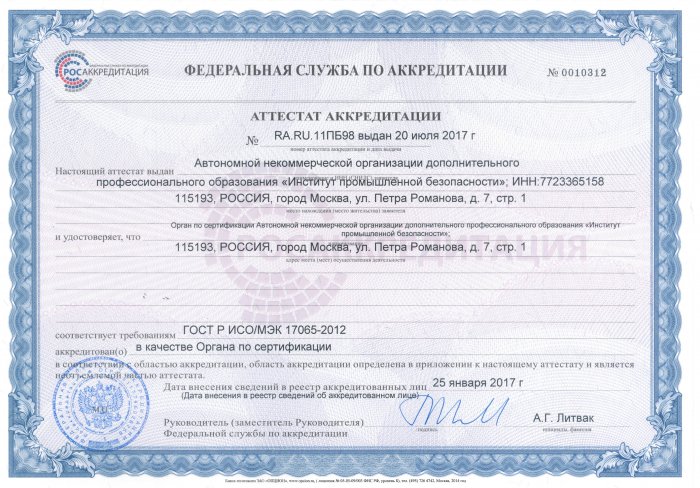
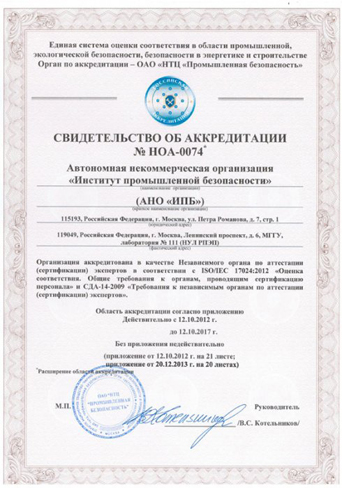
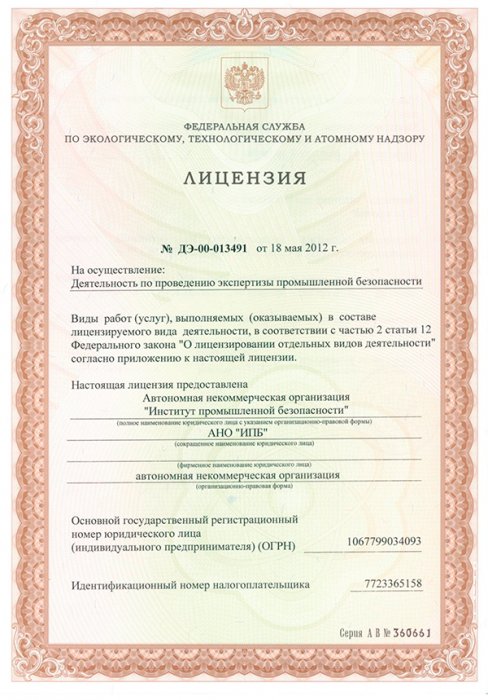
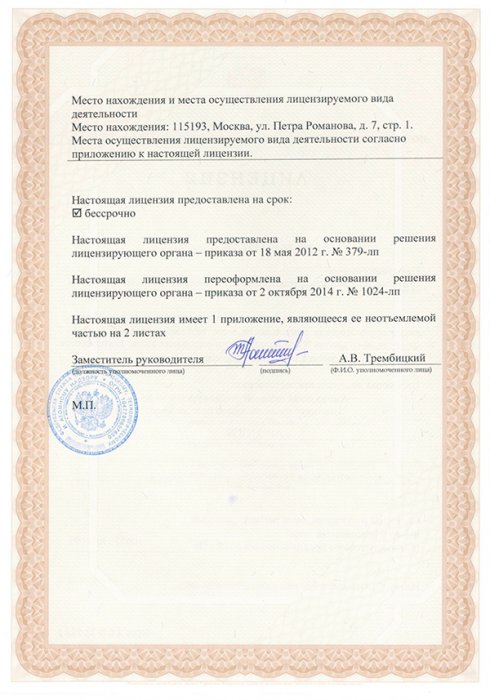
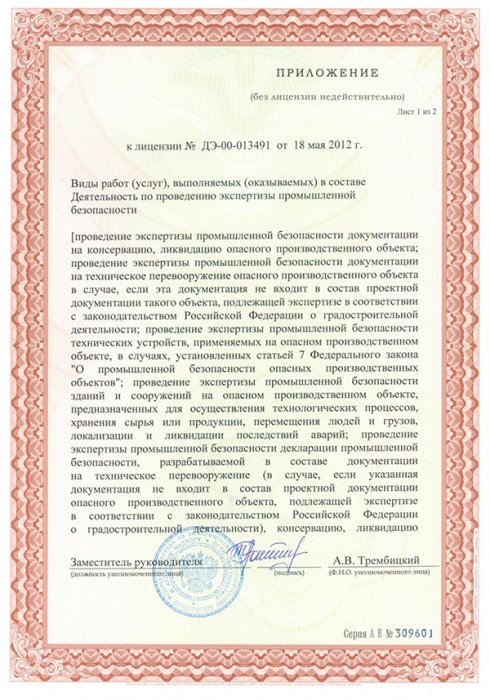
ООО "ИПБ" - предоставляет полный комплекс услуг при оформлении сертификатов ISO, ГОСТ Р, Интергазсерт, ЕС, RoHS и т.д., а также разрешительной документации Ростехнадзора, ФСБ, Росатома, Росприроднадзора, Министерства культуры, МЧС, Росздравнадзора и целого ряда других ведомств. ООО «ИПБ» работает с предприятиями по всей стране и зарубежными компаниями, стремящимися выйти на российский рынок товаров и услуг.
Ориентируясь на результат, мы создаем индивидуальные бизнес-решения, помогая нашим клиентам реализовывать новые возможности для роста и увеличения прибыли.
The HP ProBook 440 G6 is a robust business machine, but its security features can become a hurdle if you’re locked out of the BIOS. Standard methods like pulling the CMOS battery—often effective on older models—frequently fail on this specific generation.
Here is a look at the "exclusive" and standard methods for resetting the BIOS password on an HP ProBook 440 G6. 1. The "System Disabled" Code Method
This is the most common "soft" fix. By intentionally triggering a system lock, you can sometimes generate a backdoor recovery code.
The Process: Power on and press F10 repeatedly. Enter any incorrect password three times.
The Result: The system will display a "System Disabled" message with a specific code (often starting with 'A' followed by 8 digits).
The Unlock: You can use external tools to generate an unlock key from this code. Reviewers and users often point toward resources like BIOSBug or BIOS-PW to find these generated keys. 2. Physical BIOS Reprogramming (Hardware Level)
For the 440 G6, traditional CMOS battery pulls often don't work because the password is stored in non-volatile memory. True "exclusive" resets often require hardware intervention.
CH341A Programmer: Users have successfully removed passwords using a CH341A IC programmer and a clip. This allows you to read and overwrite the BIOS chip data without desoldering it from the motherboard.
RC Unlocker: A popular community tool used in conjunction with a programmer is RC Unlocker (often found on Badcaps), which can "clean" the password from a backup BIOS file before you flash it back to the chip. 3. HP Official Support & Security Policies
While the internet is full of DIY fixes, HP Support officially recommends contacting them directly for password issues.
Policy Changes: Note that HP has tightened security policies; they may no longer provide "SMC.bin" files for newer models like the 440 G6, even if your warranty has expired.
HP SpareKey: If you previously set up HP SpareKey, you can press F7 after three failed password attempts to answer security questions and regain access. Reset forgotten HP laptop bios password A [12345678]
If you are locked out of your HP ProBook 440 G6 , you've likely realized that standard tricks like pulling the CMOS battery
or using generic master passwords no longer work on modern HP business laptops. Because the BIOS password is encrypted on a dedicated chip, a simple power reset won't clear it.
Here are the primary ways to handle a lost BIOS password for this specific model. 1. The Official Route (HP Support) The most reliable method is to Contact HP Support . In the past, HP would provide a customized
file that you could boot from a USB drive to reset the password.
HP's policies have recently become stricter. If your laptop is out of warranty, they may refuse this service or require a motherboard replacement. 2. HP SpareKey Recovery If you or your IT department previously configured HP SpareKey
, you can recover the password by answering three personal identification questions. Power on and press for the Startup Menu, then for BIOS Setup. Enter any password incorrectly three times. If prompted, press
for HP SpareKey Recovery and answer your security questions. 3. Master Password Generators (The "System Disabled" Code)
When you fail the password entry three times, the laptop may display a "System Disabled" code (sometimes starting with a letter like 'A' or 'i'). Take this code to sites like BIOS-PW.org Enter the 8-digit code to generate a unique unlock key.
This method works less frequently on newer G6/G7 models than on older hardware. HP Business PCs - Forgotten or lost BIOS password
HP ProBook 440 G6 BIOS Password Reset Exclusive: A Comprehensive Guide
Are you struggling with a forgotten BIOS password on your HP ProBook 440 G6? Don't worry, you're not alone. Forgetting a BIOS password can be frustrating, especially if you need to access your computer urgently. In this article, we will provide an exclusive guide on how to reset the BIOS password on your HP ProBook 440 G6.
What is a BIOS Password?
A BIOS password, also known as a UEFI firmware password, is a security feature that prevents unauthorized access to your computer's BIOS settings. It is a password that is stored in the computer's motherboard and is required to be entered before the computer can boot up or access the BIOS settings.
Why is BIOS Password Reset Needed?
There are several reasons why you may need to reset the BIOS password on your HP ProBook 440 G6:
Methods to Reset HP ProBook 440 G6 BIOS Password
There are a few methods to reset the BIOS password on your HP ProBook 440 G6. We will discuss each method in detail:
The HP ProBook 440 G6 is engineered to protect data integrity. While older "hacks" like removing the battery are largely obsolete on this platform, the SpareKey system remains the legitimate path for owners. For technicians, the SPI Programmer method is the definitive way to reset the BIOS password, bypassing the hardware security that standard CMOS resets cannot touch.
To reset the BIOS password on an HP ProBook 440 G6, you generally cannot use traditional methods like removing the CMOS battery, as the password is stored on a non-volatile security chip. The official and most secure way to resolve this is to contact HP Support, though they typically require a system board replacement for forgotten passwords on business models. Exclusive Reset Methods
If you are looking for alternatives to motherboard replacement, several technical workarounds exist:
HP SpareKey (Built-in Recovery): If previously configured, enter a wrong password three times to trigger the SpareKey prompt. Press F7 to answer your three security questions and regain access. Master Password Generators:
Enter an incorrect password three times to generate a "System Disabled" code.
Input this code into a third-party unlocker tool like bios-pw.org or biospark.com to generate a bypass key.
Hardware Reprogramming (Advanced): For G6 models, technicians often use an IC programmer (like the TL866II Plus) to read the BIOS chip, use a utility like RC Unlocker to strip the password from the file, and then write the unlocked data back to the chip. Standard BIOS Reset (Settings Only)
If you already have access to the BIOS but want to reset the settings to factory defaults: Restart and repeatedly press F10 to enter the BIOS Setup. Navigate to the Exit or Main menu. Select Restore Defaults or Load Setup Defaults. Save and exit.
For a technical demonstration on how to use a BIOS programmer and unlocker utility:
Resetting the BIOS password on an HP ProBook 440 G6
is significantly harder than on older laptops. HP increased security for G6 models and later, meaning traditional "hacks" like removing the CMOS battery no longer work. ⚠️ Critical Warning
CMOS Battery: Removing it will not reset the password. It only resets the clock.
Official Stance: HP officially states they cannot reset lost BIOS passwords. Their solution is a motherboard replacement.
Master Passwords: Website generators like bios-pw.org often fail for G6 models because the encryption is more advanced. 🛠️ Known Reset Methods
If you are locked out, you generally have three "exclusive" paths, ranging from simple software tricks to advanced hardware modification: 1. The SMC Bin File (Official-ish)
Previously, HP support could provide a special file named SMC.bin to unlock the BIOS via a USB drive.
Current Status: HP has largely stopped providing these files for newer models due to policy changes.
How it worked: You provided your serial number and UUID to a technician, who sent a file that cleared the security settings upon boot. 2. Software Utilities (HPBR / RCUnlocker)
Third-party tools created by the enthusiast community (like the HPBR utility or RCUnlocker) are often cited in "exclusive" tutorials.
HPBR: A specialized tool that runs from a bootable USB. It supports many ProBook models, though compatibility with G6 is hit-or-miss.
RCUnlocker: Specifically designed to "clean" a BIOS file of its password. This requires you to first read the chip's data using hardware.
3. Hardware Reprogramming (The "Exclusive" Professional Method)
This is the only guaranteed way to reset a G6 BIOS. It involves disassembling the laptop and using a CH341A Programmer. The Process:
Locate the BIOS SPI chip on the motherboard (usually an 8-pin chip).
Use a SOIC8 clip or desolder the chip to connect it to a USB programmer.
Read the chip's "dump" (binary file) using a second computer.
Run the file through a tool like RCUnlocker to remove the password block. Write the "cleaned" file back to the chip and reassemble. 📺 Helpful Video Guides
This tutorial demonstrates the hardware reprogramming process specifically for the ProBook 440 G6: 06:40 Removing the BIOS password from an HP Probook 440 G6. Repair Channel YouTube• Nov 8, 2024
If you prefer to see how the RC Unlocker utility is used with a programmer chip: 20:39
To reset the BIOS password on an HP ProBook 440 G6, you can use the system-generated unlock code or a specialized hardware-level reprogrammer. Standard CMOS battery removals are often ineffective for this model as the security is stored in non-volatile memory. Option 1: System-Generated Unlock Code This is the most common method for modern HP laptops.
Generate the Code: Power on the laptop and enter a wrong BIOS password three times until a "System Disabled" message appears with an 8-digit code.
Get the Key: Visit a site like bios-pw.org or biospark.com on another device. Enter the 8-digit code to generate an unlock master password.
Unlock: Restart your ProBook, enter the generated master password exactly as shown (case-sensitive), and press Enter. Option 2: Hardware-Level Reset (Advanced)
If the system code method fails, you must physically access the BIOS chip.
Reprogramming the IC: This requires disassembling the laptop, desoldering the BIOS chip (often an SOP8 IC like the GD25B127D), and using a programmer like the TL866II Plus to flash an unlocked BIOS file.
RC Unlocker: Technicians often use the RC Unlocker utility from BadCaps.net to strip the password from a backup of the original BIOS data before flashing it back to the chip. Important Considerations
Official Support: HP's official policy is that forgotten BIOS passwords require a motherboard replacement at the owner's expense.
CMOS Reset: While you can perform a CMOS reset by holding the power button for 25 seconds (for certain G7-G10 models), this generally only resets settings, not the administrative password.
For the HP ProBook 440 G6 Go to product viewer dialog for this item.
, resetting a BIOS administrator password is significantly more difficult than on older consumer laptops because security information is stored in non-volatile memory that does not clear even if the CMOS battery is removed. Official HP Support Path
According to official HP Business PC documentation , HP cannot remotely reset a lost BIOS password for these models. Their standard protocol for a forgotten BIOS password is:
System Board Replacement: The only official fix is to replace the motherboard.
Warranty: This is generally not covered under standard warranty if the password was forgotten, and additional customer costs will apply. Alternative Reset Methods
If you are comfortable with technical work, there are "exclusive" methods that users in the community often use, though they may void your warranty.
SMC.bin File (Legacy Method): In the past, HP support provided a unique SMC.bin file based on your serial number to unlock the BIOS at boot. However, recent reports from the HP Support Community indicate that HP no longer provides these files as of March 2019.
Third-Party Unlock Codes: If you enter the wrong password three times and receive a "System Disabled" code (especially one starting with "A"), you may be able to generate a master password using sites like bios-pw.org or biospark.com.
EEPROM Reprogramming (Hardware Level): This is the most complex method and involves: Physically removing the BIOS chip from the motherboard.
Using a hardware programmer (like the TL866II Plus) and an SOP8 adapter.
Reading the current BIOS data and using a utility like RC Unlocker (from badcaps.net) to clear the password segment. Flashing the modified "clean" file back to the chip. Steps for a Successful Boot if Locked Out
If you are trying to bypass the password just to change the boot order: Restart the laptop and press Esc repeatedly. Press F9 to enter the "Boot Device Options" menu.
If this is also locked, you must use one of the reset methods above or replace the system board. Reset forgotten HP laptop bios password A [12345678]
Complete Guide to HP ProBook 440 G6 BIOS Password Reset Locking yourself out of the BIOS on your HP ProBook 440 G6 is a frustrating experience. A BIOS password prevents unauthorized users from changing hardware settings or booting from external devices.
If you have forgotten your password, standard tricks like removing the CMOS battery will not work on this modern business laptop. HP stores security certificates in non-volatile memory that does not require battery power to retain data.
Here is the exclusive, step-by-step breakdown of how to regain access to your laptop. Method 1: The Official HP SmPC Route (Recommended)
The most secure and reliable method to reset a modern HP business BIOS password is to contact HP support directly. Why this is the best method: Zero risk of bricking your motherboard. Guaranteed to work if you are the legal owner. Free if your device is still under warranty. Step-by-Step Execution:
Gather Proof: Find your original purchase receipt or invoice. HP will not assist you without proof of ownership.
Find Serial Number: Locate the Serial Number (S/N) and UUID on the bottom cover of your laptop or by pressing F10 at startup.
Contact Support: Reach out to HP Business Support in your region.
Request SmPC File: Explain that you are locked out of your BIOS and need an SmPC (SMC) reset file.
Apply the File: HP will email you a specialized file and instructions. You will place this file on a FAT32-formatted USB drive, plug it into the ProBook, and hold down a specific key combination (usually Windows Key + Arrow Up + Arrow Down) while powering on. Method 2: The HP SpareKey Feature
If you set up your laptop yourself, you may have enabled HP SpareKey during the initial setup. This feature allows you to recover your password by answering personal security questions. Step-by-Step Execution:
Trigger SpareKey: Turn on the laptop and press F10 to enter the BIOS setup.
Enter Prompt: When prompted for the password, type anything and press Enter.
Access Recovery: After a few failed attempts, the screen should offer an option to use HP SpareKey.
Answer Questions: Provide the exact answers to the three security questions you set up when you first bought the laptop.
Reset Password: If correct, you will be granted access to reset the BIOS password. Method 3: Using Third-Party Master Generator Tools
If your laptop is out of warranty and you do not have proof of purchase, technical enthusiasts often turn to backdoor password generators based on the laptop's serial number or system disabled code.
Disclaimer: This method involves third-party websites and scripts. Proceed at your own risk. Step-by-Step Execution:
Get the Code: Turn on the laptop and enter the wrong password three times.
Locate "System Disabled" Code: A 5-digit to 8-digit code or a "halt code" will appear on the screen.
Use a Generator: On another device, search for a reliable "HP BIOS master password generator" online.
Input the Code: Enter your laptop's serial number or the specific halt code into the generator.
Try the Passwords: The tool will generate a series of potential master passwords. Try typing them into your HP ProBook 440 G6. Method 4: Hardware EEPROM Flashing (Advanced)
If all software methods fail, the final option is a hardware intervention. This requires soldering skills and specialized electronics equipment.
The security data on the HP ProBook 440 G6 is stored on a specific EEPROM chip on the motherboard. To clear it, technicians physically rewrite the chip's code. Step-by-Step Execution:
Disassemble: Open the bottom case and remove the motherboard.
Locate BIOS Chip: Find the 8-pin EEPROM chip containing the BIOS data (often labeled Winbond or Macronix).
Connect Programmer: Attach an external hardware programmer (like the CH341A) to the chip using a clip or by desoldering the chip entirely.
Read and Patch: Read the current HEX code of the chip on a separate computer, use specialized software to locate the password hash, clear it, and write the patched file back to the chip.
Reassemble: Solder the chip back (if removed) and reassemble the laptop. Summary of Options Difficulty Success Rate HP Support Free (if owned) SpareKey High (if set up) Master Gen EEPROM Flash Requires Tools 100% (with skill)
To give you the most accurate advice moving forward, could you tell me a bit more about your situation? Do you have proof of purchase or a receipt for this laptop?
Is there a specific error code that displays after entering the wrong password three times?
Are you comfortable using external USB drives or technical software on another PC?
Before attempting any hardware manipulation, it is vital to understand that HP business laptops are designed with a "Fail-Safe" recovery system called SpareKey.
If you registered the laptop with HP SpareKey when you first set the password (or if your IT department did), you can recover access without opening the laptop.
Сообщите нам своё впечатление
о работе компании или отдельного сотрудника:



 Сказать спасибо
 Пожаловаться
 Задать вопрос