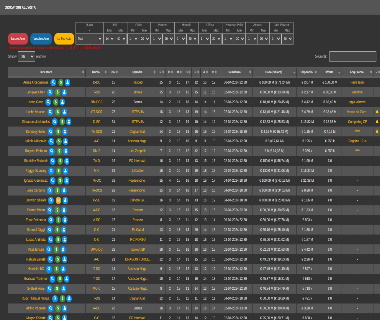


Iptv Tools 132 Elite Best |top| | Must Try |
The following report summarizes the key features and current status of IPTV Tools 1.3.2 Elite, a specialized software suite used within the IPTV community for scanning, analyzing, and managing streaming portals . Core Functionality
IPTV Tools 1.3.2 Elite is primarily recognized as a "combo checker" and "portal analyst" tool . It is designed to verify the validity of IPTV subscriptions and identify supported streaming formats across various server types.
IPTV Assistant: A central feature that allows users to analyze specific portals. By entering a working MAC address, the tool determines if the portal is supported and recommends the most efficient scanning method .
Advanced Scan Methods: The Elite version introduces specialized scanning for different portal types, including: Xtream Codes MAC (Blue) Xtream Codes MAC (White)
Portal Compatibility: The software offers full support for Xtream Codes portals regardless of their load page configuration . Service & Content Overview
While the tool itself is a management and scanning utility, it is often bundled with or used to manage services that provide a wide array of global content :
Sports: Access to regional networks like BEIN SPORTS (Arabic), DAZN (Sweden/Denmark), and major leagues including the UEFA Champions League, NFL (US), and Premier League (UK) .
On-Demand: Integration with VOD sections for major platforms such as Netflix, Paramount+, and Disney+ .
Device Support: Compatibility with various hardware, including Smart TVs, set-top boxes, smartphones, and PCs . Technical Specifications Current Version 1.3.2 Elite (replaces 1.2.3 Premium) Supported Formats M3U, XMLTV EPG, and Dreambox scripts Primary Use Case Cracking/checking MAC addresses and portal analysis Target Platforms Windows (typically), with output for various media players Important Considerations
Users should note that tools like IPTV Tools 1.3.2 Elite are frequently associated with gray-market IPTV services. Many download links for this software are hosted on unofficial or unverified third-party domains, which may pose security risks such as malware . It is highly recommended to use verified antivirus software and a VPN if interacting with these communities. IPTV Tools 1.3.2 Elite Overview - Scribd
Optimizing Your Stream: A Deep Dive into IPTV Tools 1.3.2 Elite
In the rapidly evolving world of digital streaming, maintaining a high-quality entertainment setup requires more than just a subscription. Whether you are a casual viewer or a dedicated cord-cutter, specialized software like IPTV Tools 1.3.2 Elite
has become a staple for those looking to manage, test, and optimize their viewing experience. What is IPTV Tools 1.3.2 Elite?
IPTV Tools 1.3.2 Elite is a comprehensive management suite designed for users who handle multiple M3U playlists and streaming links. Unlike standard players, this tool focuses on the "backend" of your streaming setup—helping you ensure that every link in your library is active and high-performing before you even hit play. Key Features of the Elite Version
The "Elite" designation typically refers to a feature-rich version of the software that offers advanced automation and diagnostic capabilities. M3U Playlist Testing
: Automatically scans through thousands of channels in a playlist to identify dead links, saving you from the "failed to play" errors mid-binge. Link Categorization
: Effortlessly organizes scattered links into logical folders (e.g., Sports, Movies, News) for a cleaner interface. Advanced Analytics
: Provides data on stream quality and connection reliability to help you choose the best source for high-definition viewing. User-Friendly Interface
: Designed to be accessible for both beginners and advanced users, allowing for quick playlist uploads and immediate testing. Why "1.3.2" is a Popular Version
While software constantly updates, version 1.3.2 remains a favorite in the community due to its stability and compatibility with older hardware. It strikes a balance between modern features and low system resource usage, making it ideal for running alongside other streaming applications. Important Safety and Legal Considerations
When exploring "Elite" or "Cracked" versions of IPTV tools, it is crucial to remain vigilant. Cybersecurity Risks
: Downloading software from unofficial sources (such as Google Drive links or unverified forums) poses a significant risk of malware or data theft. Always use reputable security software to scan files before installation. Legality of Content
: The tool itself is a management utility and is legal technology. However, using it to access copyrighted material without a license is a violation of copyright law. ISP Monitoring
: Internet Service Providers (ISPs) can often detect IPTV traffic patterns even if they are encrypted. To protect your privacy and prevent bandwidth throttling, many experts recommend using a high-quality VPN service like ExpressVPN Final Verdict
IPTV Tools 1.3.2 Elite is a powerful ally for anyone looking to professionalize their streaming setup. By automating the tedious process of link checking and organization, it ensures your "Elite" experience is actually elite. Just remember to prioritize your digital safety by sourcing your tools carefully and staying within legal boundaries. step-by-step guide
on how to import and test your first M3U playlist using these tools?
Приложения в Google Play – iptv tool & m3u test
or specialized tech forums—designed for managing, testing, and optimizing IPTV playlists. These tools are frequently used by advanced users to verify M3U/M3U8 links
, check for active streams, or customize channel lists for players like IPTV Smarters Pro Core Capabilities of IPTV Elite Tools Playlist Management
: Allows users to import and edit M3U/M3U8 playlists from local devices or web URLs. Stream Verification iptv tools 132 elite best
: Features automated "testers" to check if stream links are live or broken before adding them to a player. Hardware Integration
: Often optimized for high-performance hardware, such as devices using the RK3288 chipset , ensuring stable Full HD (1080p) playback. Format Support : Native support for advanced video formats like H.265 (HEVC)
, which reduces bandwidth usage without sacrificing quality. Optimization & Performance Best Practices
To achieve a "best" or "elite" streaming experience, experts recommend the following optimizations: ftk/iptv-tools - GitHub
When people search for "IPTV Tools 1.3.2 Elite," they are typically looking for specialized software used to manage, scan, or verify IPTV playlists and server credentials. This specific version is a popular iteration of a multi-purpose toolkit used by enthusiasts to maintain streaming stability and "check" the validity of Xtream Codes or M3U links. 🛠️ Key Features of IPTV Tools 1.3.2 Elite
This version of the toolkit is favored for its comprehensive set of features that streamline the management of IPTV subscriptions:
Credential Checker: Scans Xtream Codes (URL, username, and password) to verify if they are still active.
M3U Validator: Quickly identifies which links in a massive playlist are broken or offline.
Link Parser: Extracts raw streaming URLs from complex playlist formats.
Account Information: Displays expiration dates, max connections, and active status for tested accounts.
Bulk Processing: Allows users to import large text files of credentials for automated checking. 📺 Top Companion Players for 2026
Once you have verified your links using tools like the Elite 1.3.2 kit, you need a high-performance player to view the content. Based on current market reviews from sites like North Penn Now, these are the top-rated apps: App TiviMate Power users & DVR recording IPTV Smarters All-around ease of use Free / Premium IPEXO Player PC users (Windows) Smart IPTV Pro Visual interface & VOD ⚠️ Security and Legal Warning
While the software itself is a "tool," how it is used carries significant risks:
Safety Risk: Many versions of "Elite" tools found on file-sharing sites are cracked and often contain malware or keyloggers.
Privacy: Using these tools to access unauthorized servers can expose your IP address to third parties.
Legality: Always ensure you are using tools to manage your own legally purchased subscriptions rather than accessing copyrighted content without permission.
💡 Pro Tip: If you're experiencing buffering after using these tools, check your internet speed and consider using a reputable player that supports hardware acceleration. If you'd like to get the most out of your setup, tell me: Are you using this on Windows, Android, or Firestick?
IPTV Tools 132 Elite is a widely distributed, high-speed utility package used for auditing and testing IPTV streaming credentials, often associated with unauthorized access to paid subscriptions. The toolset enables automated M3U parsing and brute-forcing of Xtream Codes, but it is frequently bundled with malware and is primarily used for credential stuffing, creating significant security and legal risks for users.
IPTV Tools 1.3.2 Elite (and its subsequent versions like 2.1.2) is a specialized Windows-based software suite primarily used by enthusiasts and resellers to manage, check, and edit IPTV playlists and credentials. Unlike standard players such as IPTV Smarters
, this tool is a "cracker" and "checker" utility designed for technical playlist maintenance. Key Features of IPTV Tools Elite
The Elite version typically offers advanced automation that free "Freemium" versions lacks: Account Checking
: Rapidly validates lists of Xtream Codes, M3U links, or Stalker Portals to see if they are active. Combo Scanning
: Allows users to import "combo" lists (username/password pairs) to find working credentials for various servers. Playlist Editing
: Built-in tools to modify M3U files, change DNS, or reformat links for different devices. User-Friendly Interface
: Despite its technical nature, the 1.3.2 Elite version was noted for a more intuitive UI compared to command-line scanners. Performance Review
: Advanced users who manage multiple IPTV subscriptions or resellers who need to verify their inventory quickly.
: Highly optimized for multi-threading, allowing it to check thousands of links in minutes.
: Version 1.3.2 is often considered a "legacy stable" build, though newer versions (like 2.1.2) have since been released with updated decryption for modern server security. Comparison: Elite vs. Standard Players IPTV Tools 1.3.2 Elite Standard Players (e.g., Primary Use Scanning and Checking Watching Content Windows (PC) Android, Firestick, iOS Input Type Combo lists, Raw URLs M3U, Xtream Codes, Portal Often flagged by Antivirus Generally safe Usage Warning
Because IPTV Tools 1.3.2 Elite is often used to scan for leaked or unauthorized credentials, it is frequently flagged as The following report summarizes the key features and
by Windows Defender and other antivirus software. It should only be downloaded from trusted community forums and run in a "Sandbox" or Virtual Machine to protect your main system. securely set up
this tool in a virtual environment, or are you looking for a content-focused player like TiViMate instead?
EspaniaTV IPTV Script Overview | PDF | Computer Science - Scribd
You might also like * Rytec and GenIPTV EPG URLs Guide. ... * Adult Film Star Listings. ... * User Credentials and Access Codes. . IPTV Server Codes and Updates 2026 | PDF | Chess - Scribd
You might also like * IPTV HD World Official Links and Data. ... * IPTV HD World Access Links. ... * AlphaCS IPTV Access Links. .. WiFiRemote and Device Settings Overview | PDF - Scribd
Vast Channel Access: Provides access to a wide range of global live TV channels, including movies and sports.
Multi-Device Compatibility: Compatible with various setups, though often used with players like IPTV Smarters Pro.
Performance Optimization: Focuses on stability to minimize buffering during high-demand events like live sports. 📖 Quick Setup Guide
Setting up "Elite" IPTV tools generally involves three main steps:
Obtain Access: Sign up or download the specific tool version (1.3.2 Elite) from your provider to receive your credentials or M3U URL. Configuration: Open your preferred IPTV player (e.g., IPTV Smarters Pro).
Select Add User and choose Load Your Playlist or File / URL. Enter the M3U URL provided with your "Elite" package.
Streaming: Once the playlist loads, you can browse by category (Sports, Movies, Local TV) and start watching. ⚠️ Important Considerations
Reliability: When choosing a provider, look for those offering HD/4K quality and reliable support.
Security: Be cautious when downloading "Elite" tools from unverified sites; always use a VPN to protect your privacy while streaming.
💡 Pro Tip: Use a stable high-speed internet connection to ensure the "Elite" features (like 4K streaming) work without interruption.
To help you get the best performance out of IPTV Tools 132 Elite Best:
What device are you planning to use it on (e.g., Firestick, PC, Android TV)?
I can then provide specific installation steps or current provider recommendations.
The phrase "IPTV Tools 132 Elite" typically refers to a specialized software package used by IPTV resellers or advanced users for managing and verifying IPTV server credentials. Because these tools are often distributed in unofficial or niche developer communities, a traditional "consumer review" is less common than technical breakdowns found on forums. Product Overview IPTV Tools Elite
(often seen in versions like 2.1.2 or similar) is primarily a credential checker and server management tool . It is used to: Verify Playlists
: Test M3U links or Xtream Codes credentials to see if they are active. Manage VOD & Channels
: Organize large libraries of content (sometimes exceeding 12,000 channels). Server Connectivity
: Check server status and connection limits without needing a VPN. Key Features & Performance
: Known for rapid multi-threaded checking, allowing users to verify thousands of accounts or links in minutes. Compatibility
: Designed to work with common server types like Xtream UI and various stalker portals. Database Management
: Includes tools to export working links into formatted lists (TXT or M3U) for use in players like IPTV Smarters Pro IPEXO IPTV Player Important Considerations Legal & Security Risks
: These tools are frequently flagged by antivirus software. They are often shared as "cracked" versions (Elite) on file-sharing sites, which carries a high risk of malware or Trojans.
: It is not a streaming service itself but a utility to manage and "crack" (in some contexts) access to other services. Target Audience
: It is built for "tech-savvy" users or those managing their own IPTV reseller panels rather than casual viewers looking for a simple TV app. skullsplitterdice.com IPEXO IPTV Player - Free download and install on Windows Elite Feature: M3U8 segment rejoining
The primary "elite" feature of this tool is its Automated Stream Checker. This allows users to:
Verify Live Links: Automatically scan M3U playlists to identify which channels are currently online and which are broken or offline.
Batch Editing: Modify or remove dead links from large playlists (thousands of channels) in a single session, rather than checking them manually.
Format Conversion: Convert IPTV lists between various formats, such as M3U to Enigma2 or DreamBox-compatible files, for use on different hardware. Key Benefits
Optimized Performance: By filtering out dead links, the tool reduces the "buffer" and "failed to play" errors experienced in players like IPTV Smarters Pro.
EPG Integration: Some versions assist in mapping Electronic Program Guide (EPG) data to channel IDs to ensure that "What's On" information displays correctly for all channels. GSE SMART IPTV PRO
I'm using GSE SMART IPTV PRO, it's pretty good with the remote lists and EPG guide I use here in Mexico. GSE SMART IPTV PRO Smarters Pro IPTV Smarters Pro is a popular IPTV application. Smarters Pro
This remains the gold standard for IPTV applications due to its versatility and user-friendly interface.
Key Features: Support for M3U URLs, Xtream Codes API, and EPG (Electronic Program Guide). It also includes features like parental control and internal player selection.
"Elite" Versions: Often refer to customized, white-label versions used by providers to offer a branded experience to their customers. 2. TiviMate IPTV Player
Widely considered the best app for Android TV and Firestick users.
Why it's "Elite": It offers a premium, cable-like interface that is unmatched in terms of aesthetics and fluid navigation.
Highlights: Multi-screen support, scheduled recording, and a highly customizable EPG. 3. OTT Navigator
A powerful alternative for power users who want deep customization.
Best For: Users with multiple playlists and those who need advanced filtering/sorting of channels.
Features: It supports almost all IPTV protocols and offers a highly stable streaming experience. 4. IPTV Management & Reseller Tools
For those managing services, "Elite" tools typically involve:
Billing Panels: Automated systems for managing subscriptions and user accounts.
DNS & VPN Integration: Tools to bypass ISP throttling and ensure privacy for viewers. Key Considerations for "Best" Tools:
Compatibility: Ensure the tool works across all your devices (Android, iOS, Windows, Smart TVs).
Security: Always use tools from reputable developers and consider a VPN to protect your connection.
Updates: The best tools are updated frequently to patch bugs and support new stream formats.
4. Built-in Ping Tester
Nothing is worse than a channel that fails during the Super Bowl. The Elite tool includes a mass ping tester. It scans your entire playlist and color-codes channels as "Alive" (Green), "Slow" (Yellow), or "Dead" (Red). You can then auto-delete all red channels in one batch.
Step 1: Acquisition
Because IPTV laws vary by region, always download tools from reputable tech forums or the developer's official archive. Look for the file named IPTV.Tools.v132.Elite.Repack.zip. Ensure your antivirus is active, as cracks for elite versions sometimes trigger false positives.
4. Logo Injection
Download a logo pack (usually found on GitHub). Use the "Bulk Logo Assign" feature to map your local .png files to channel names automatically.
Step 1: Sanitization
Open your raw M3U file in your Elite Editor (Version 132). Use a filter to remove groups labeled "[Ads]" or "[VPN Required]." Save the file as Clean_Playlist.m3u.
Step 2: Validation
Drag Clean_Playlist.m3u into your Link Tester. Set the timeout to 5 seconds. Run the test. You will likely see a 40% mortality rate. Export only the "Alive" channels. You now have a lean, 500-channel list instead of a bloated 5,000-channel list.
Common Issues and Troubleshooting
Even the best tools encounter hiccups. Here is how to fix the most common issues with IPTV Tools 132 Elite.
4. The Downloader (The VOD Saver)
Why stream a movie twice and waste bandwidth? The elite IPTV user downloads VOD (Video on Demand) content for offline viewing.
- Elite Feature: M3U8 segment rejoining. It takes the fragmented stream (ts files) and merges them into an MP4.
- Tool to look for: IPTV Stream Recorder 132 – Scheduler included, so you can record live sports while working.